
JCPenney – Shopping & Deals
Penney OpCo LLCShopping
4.139.98K Reviews
- Version
- 11.49.1
- Installs
- 10.00M
- Age Rating
- Everyone
Screenshots




Our Review of JCPenney – Shopping & Deals
 Analysis by Appyee
I found JCPenney – Shopping & Deals most useful when I treated it as a mobile shopping companion rather than a complete replacement for browsing in a store. It puts clothing, shoes, bedding, and home items in one place, while also bringing deals and rewards into the same shopping journey. That combination makes sense for checking an offer before leaving home, comparing a few options from the sofa, or making a quick decision while already in a JCPenney location.
My experience also made one thing clear: the quality of the app depends heavily on your connection. Product browsing, images, account activity, deal discovery, and checkout all make more sense when the app can communicate reliably with the retailer’s online service. When the signal is weak, the experience becomes less predictable, so I would not rely on it as my only way to shop during a rushed trip.
How JCPenney works when your connection is doing the heavy lifting
JCPenney is a free shopping app from Penney OpCo LLC, aimed at everyday retail purchases rather than a narrow specialty. Its broad selection is helpful because I can move between apparel and household shopping without switching services. The app is rated for Everyone, which fits its straightforward retail purpose, and it has been available since February 3, 2012. The current version is 11.49.1, with a minimum operating-system requirement of 10.
The first moments of use are naturally network-dependent. The app needs to retrieve current product information, display images, surface available offers, and keep shopping activity synchronized. I noticed that this matters more than it might seem from the simple idea of “opening a store app.” A catalog is not just a fixed collection of pages: availability, promotions, and shopping decisions can change while you are using it.
That makes a stable connection especially valuable when I am narrowing down a purchase. A product image may help me judge color or pattern, but I still need the app to load the surrounding details before deciding. If pages take too long to refresh, shopping becomes a series of pauses instead of a quick comparison. On a strong home or mobile connection, the process feels much more natural.
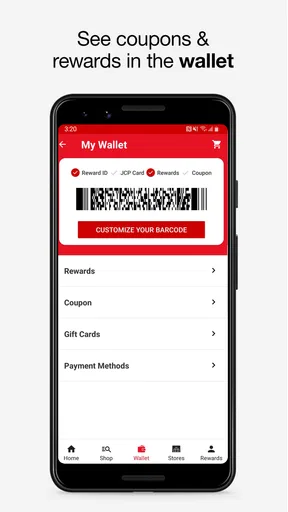
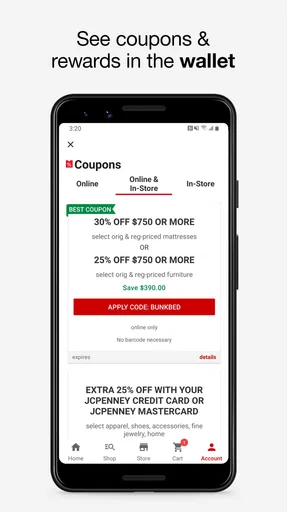
The deals and rewards angle is another reason connectivity matters. I would open the app before shopping to see what savings opportunities are available, then keep the relevant information in mind while choosing items. This is more useful than waiting until the payment stage, because a promotion can affect whether an item is worth considering in the first place. The practical habit is to check offers early, not assume that every saving will appear automatically at the end.
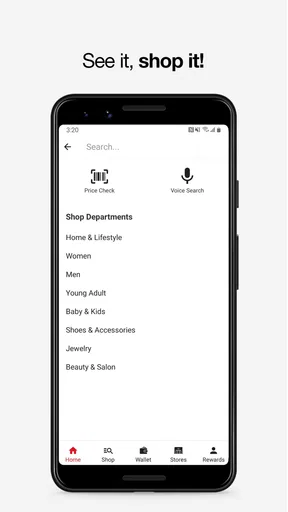
One of my favorite uses is planning a mixed basket. I might begin with a clothing item, then look at shoes, and finally check bedding or another home product. A general search engine can point me toward products, but it does not give me the same retailer-focused path. The app is better when I already know I want to shop at JCPenney and need a single place to explore related categories.
There is a trade-off here. A wide catalog can feel convenient, but it also creates more scrolling and more decisions. I found it easier to use the app with a specific goal, such as finding a particular type of garment or checking home items, than to open it with no plan and browse indefinitely. The app supports discovery, but it does not remove the need for personal filters and patience.
What changes when I use it away from home
On a phone, the app is most convincing in short sessions. I can check a deal while commuting, compare a few items during a break, or look up a product while discussing a purchase with someone else. These situations are convenient because the app keeps the retailer within reach, but they also expose the limits of mobile connectivity. A weak indoor signal or crowded public network can turn a quick check into repeated loading.
I would be cautious about starting a complicated shopping session in a place where the connection is unreliable. Browsing a single item may be manageable, but moving through several categories, reviewing images, and reaching checkout creates more opportunities for interruption. My practical approach is to do the research at home when possible, then use the phone in a store or on the move for a focused confirmation.
That approach also helps with attention. Mobile shopping is easy to start and difficult to finish when notifications, travel, or conversation keep breaking the session. I prefer to decide what I am checking before opening JCPenney: a deal, a category, a product, or a purchase already under consideration. This reduces unnecessary page loading and makes the app feel faster even when the connection is only average.
A realistic example would be preparing for a bedroom update. I could use the app at home to review bedding, compare colors, and note which items deserve a closer look. Later, while visiting a store, I could use my phone to revisit the same shopping idea and decide whether to buy there or continue online. The useful part is not simply having a catalog in my pocket; it is being able to connect planning with a real shopping trip.
For clothing, the mobile context is slightly different. I may want to inspect several styles quickly, but images on a phone cannot fully replace seeing fabric, fit, and color in person. In that situation, the app works best as a preparation tool. It can help me arrive with a shortlist instead of wandering through every department, while the physical store remains better for judging how something feels and looks on the body.
People who shop mainly from a desktop may prefer a larger screen for long comparisons. The phone is more convenient for quick checks, but smaller display space can make side-by-side evaluation less comfortable. I would choose this app for mobility and retailer-specific deals, not because it is automatically the best environment for extended product research.
What happens when loading fails or a session is interrupted
Connectivity problems are most frustrating when they happen at a decision point. A page can appear partly loaded, an image may take time to arrive, or a transition can stall just as I am moving from browsing toward purchase. I learned not to interpret a slow response as proof that an item or deal is unavailable. The safer response is to wait briefly, retry, and check the relevant page again once the connection is stable.
I also avoid making several rapid taps when the app appears stuck. Repeatedly pressing buttons can make it unclear which action actually registered. A calmer recovery routine works better: stop interacting, confirm whether the page changes, then return to the previous step if necessary. This is ordinary mobile discipline, but it matters more in shopping because duplicate actions can create confusion around a basket or checkout attempt.
When I am in a store, I would keep a second option in mind. If the app does not load, I can continue with the physical shopping experience rather than allowing the phone to control the entire trip. If I am shopping from home, I can pause and return later instead of forcing a purchase through an unstable connection. The app adds convenience; it should not become a single point of failure for an important purchase.
Another useful habit is to review the order carefully after an interruption. I would confirm the selected items and the final stage reached before trying again. This is particularly important when a connection drops during a transition, because the visible screen may not immediately tell me whether the previous action completed. Taking a moment to verify is slower than tapping again, but it is less stressful and reduces avoidable mistakes.
Deals deserve extra attention during recovery. If I saw a promotion before the connection failed, I would revisit the offer and its conditions rather than relying only on memory. Shopping apps can change what they display as the session refreshes, so I prefer to make sure the relevant savings information is still visible before completing a purchase. This is one of the main reasons I check offers at the beginning of a session.
The app’s large audience suggests that many people find it useful: it has an average rating of 4.1 from around 114 thousand ratings, with roughly 40 thousand written reviews and over 10 million installs. Those figures tell me it is an established shopping option, but they do not remove the need to judge it by my own connection, shopping habits, and tolerance for mobile friction.
Using the app without wasting mobile data
Because shopping depends on product imagery and online updates, I would use JCPenney thoughtfully when mobile data is limited. I avoid opening it repeatedly just to browse without a purpose. Instead, I decide what I need first, search or navigate directly to that area, and stop once I have enough information to make the next decision.
Long browsing sessions can be less efficient on a cellular connection than a focused visit over home internet. Images and changing catalog content are part of the shopping experience, so I would not expect the app to behave like a simple text list. If I am planning a larger purchase, I prefer doing the exploratory work on a reliable Wi-Fi connection and reserving mobile use for checking a shortlist or confirming a detail.
This also changes how I think about rewards and deals. I do not need to keep refreshing the same screen while walking around a store. Checking the relevant information before leaving home can make the in-store session shorter and less dependent on mobile data. Once I know what I am looking for, the phone becomes a reference tool instead of an always-on catalog.
There is a privacy and account-management side to any shopping app, although my main practical concern here is control. I would be selective about how often I sign in, keep my shopping activity purposeful, and avoid using an unfamiliar public network for a sensitive checkout whenever a more trusted connection is available. These habits are not unique to JCPenney, but they are sensible when the app is handling a retail purchase.
People with generous data allowances will probably notice fewer restrictions, especially if they enjoy browsing across clothing, shoes, bedding, and home products. For someone with a tight data plan, the app is still usable, but it rewards preparation. The best workflow is to research broadly when connected to Wi-Fi and use cellular access for small, deliberate tasks.
Where it beats ordinary alternatives, and where it does not
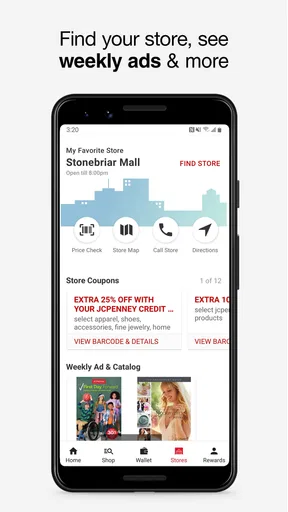
Compared with visiting a store without preparation, JCPenney gives me a faster way to explore the retailer’s range and look for savings before I commit time to a trip. Compared with a general marketplace, it keeps the experience centered on one retailer, which can make category browsing feel more coherent when I already want JCPenney’s assortment. That focus is the app’s clearest advantage.
A general marketplace may be better when I want to compare many sellers, investigate a niche product, or prioritize the widest possible selection. A retailer-neutral price tool may also be more useful when the only goal is finding the lowest price across different stores. JCPenney is not the right choice for those tasks; its value comes from combining JCPenney shopping with the retailer’s own deals and rewards experience.
The physical store remains preferable when touch, fit, immediate inspection, or personal assistance matters most. That is especially true for clothing and shoes, where a product photograph cannot answer every question. I use the app to reduce uncertainty before visiting, not to pretend that a screen can reproduce every part of an in-person decision.
I also would not recommend it to someone who dislikes retailer accounts, promotional browsing, or app-based shopping in general. The experience makes the most sense for people willing to check offers, explore categories, and use a phone as part of their buying routine. If I only make occasional purchases and already know exactly what I want, a direct store visit may be simpler.
For an everyday shopper, the strongest workflow is surprisingly specific: check the app on a dependable connection, identify the deal or category that matters, create a short mental or written list, and use the phone later for confirmation rather than endless browsing. That method limits data use, reduces distractions, and gives the app a clear job at each stage of the purchase.
My verdict on a connection-dependent shopping experience
After using it as both a planning tool and a mobile shopping aid, I see JCPenney – Shopping & Deals as a practical choice for people who already shop with JCPenney and want deals, rewards, and several retail categories close at hand. It is free, accessible to Everyone, and available on a large number of devices, with a minimum OS requirement of 10. The developer is Penney OpCo LLC, and the current version is 11.49.1.
The key trade-off is convenience versus connection dependence. When the network is reliable, the app helps me prepare, compare, and shop with less wandering. When the signal is poor, its usefulness drops at exactly the moments when product details, offers, or purchase steps need to refresh. I would plan around that rather than expecting the phone to solve every shopping problem.
My recommendation is strongest for shoppers who want a JCPenney-focused catalog on the go and are comfortable doing a little preparation before a trip. I would skip it if I need cross-retailer comparison, prefer a large-screen research experience, or want clothing decisions made entirely without a physical try-on. For the right user, though, it is a useful bridge between browsing at home, checking a phone in the store, and making a more informed purchase.
Verdict
Strengths of JCPenney – Shopping & Deals
- Easy access to JCPenney’s broad clothing, beauty, and home selection.
- Frequent coupons and sale events can provide meaningful savings.
- In-app order tracking keeps delivery updates easy to follow.
- Store pickup offers a convenient alternative to home delivery.
- Personalized deals may help regular shoppers find relevant promotions.
Limitations of JCPenney – Shopping & Deals
- Some promotions have exclusions, limits, or complicated redemption terms.
- App performance and loading speed may vary on older devices.
- Popular sizes and sale items can sell out quickly.
- Returns may require checking separate rules for online and store purchases.
- Notifications can feel excessive when many promotions are active.
Similar Picks in This Category
View All
SHEIN-Shopping Online
Roadget Business PTE. LTD.4.8

Amazon Shopping
Amazon Mobile LLC4.4


Mercado Libre: Compras online
Mercado Libre4.8

Wish: Shop and Save
Wish US Holdings LLC4.7

Alibaba.com - B2B marketplace
Alibaba Mobile4.4
Frequently Asked Questions
What is the JCPenney – Shopping & Deals app used for?
The JCPenney app is a mobile shopping platform for browsing and purchasing clothing, shoes, jewelry, beauty products, home goods, appliances, and seasonal items. It also lets you search for nearby stores, check product availability, view current promotions, manage your account, and track orders. The selection, prices, and available services may vary depending on your location.
Can I find coupons, rewards, and special deals in the JCPenney app?
Yes. The app regularly features digital coupons, clearance offers, limited-time promotions, and other savings opportunities. If you are enrolled in JCPenney’s rewards program, eligible benefits and account-related offers may also appear after signing in. Before checking out, review the terms carefully because coupons can have exclusions, expiration dates, minimum purchase requirements, or restrictions on combining discounts.
Does the JCPenney app offer store pickup and delivery options?
Depending on the product and your location, JCPenney may provide shipping, store pickup, or other fulfillment options. During checkout, the app shows the methods available for your selected items and ZIP code. Store pickup availability can change quickly, especially for sale products, and some items may only be eligible for shipping because of size, inventory, or store-specific limitations.
Is it necessary to create a JCPenney account to shop through the app?
You can usually browse products, prices, and promotions without signing in, but an account makes the shopping experience more convenient. Registered users can save personal information, review order history, track purchases, manage rewards, and create or access saved shopping lists. You should still check the privacy settings and account terms before entering personal or payment information.
Are returns and order changes handled through the JCPenney app?
The app can help you review order details, track shipments, and access information about returns or exchanges, although the exact process may depend on the item, purchase method, and current JCPenney policy. Some products may have special return conditions, while marketplace or third-party items can follow different rules. Always confirm the return window, fees, and refund method before completing a purchase.
